
Downloads
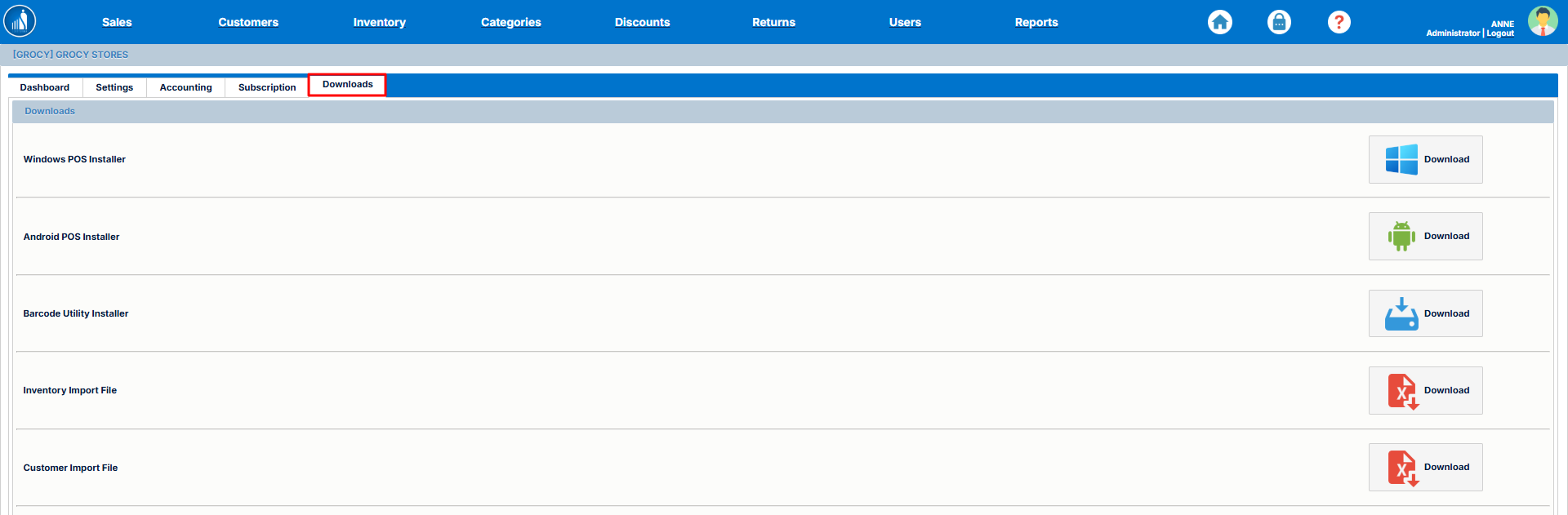
Under theThe Downloads tab,tab you canprovides access to all downloadable resources that support the downloadableinstallation resources,and suchconfiguration asof your Scantranx system. These files include POS installers, barcode installers,utilities, and someimport templates used for importbulk files.data uploads.
-
1.
An executable file for installing the Scantranx POS application onaWindowsWindows system.systems. -
2.
An APK fileAPKfor installing the Scantranx POS application onAndroid.Android devices. -
3.
The installation file for setting up the labelprinter.printer used to generate and print product barcodes. -
4.
A template file for importing inventory items in bulk. The data in your importdatafile must match thecolumnscolumnspecifiedstructure defined in thisfile.template. -
5.
A template file for importingcustomerscustomer records in bulk. Ensure that all data fields correspond to the required format for successful import.
Tip: Always download and use the latest version of each installer or template to ensure full compatibility with your Scantranx system.