Managing Discounts
The Discounts tab allows you to generate the discount coupons or offer category discounts.
How to Create Discount Coupons in Batch?
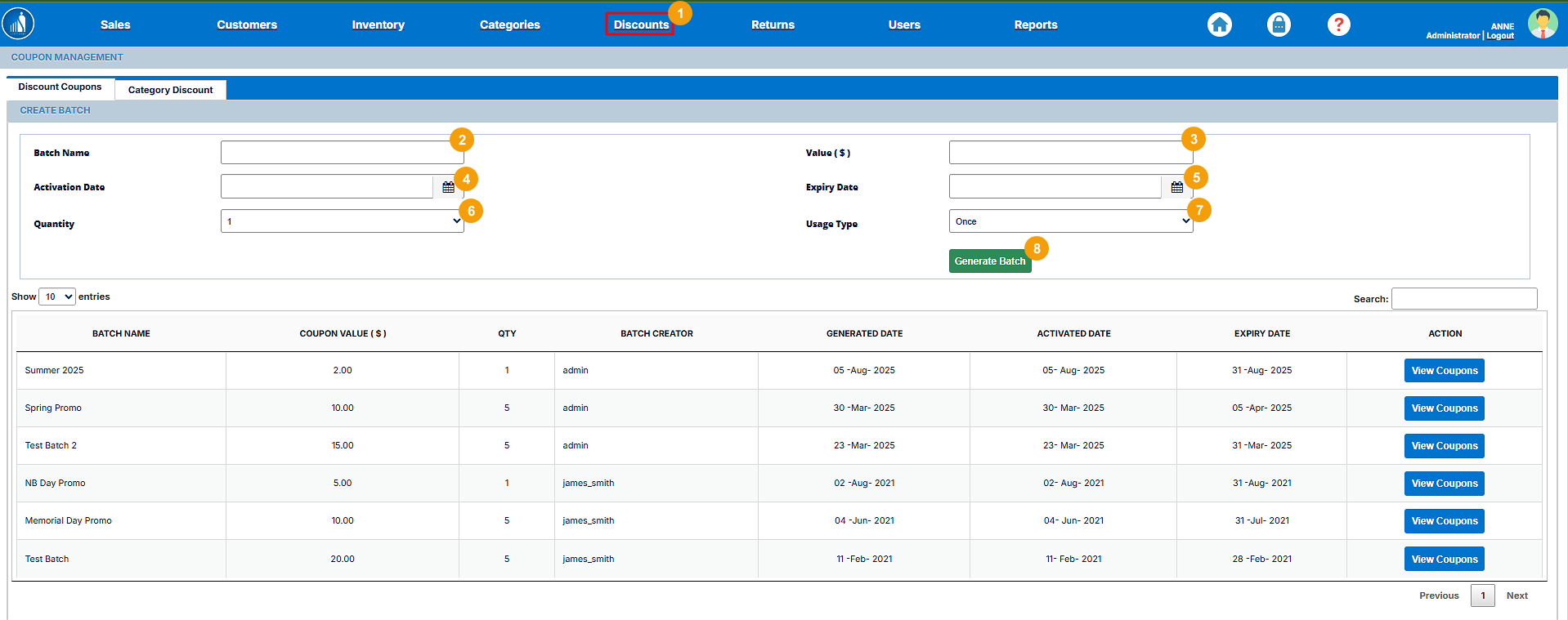
1. Go to the Discounts tab.
2. Enter the Batch Name.
3. Enter the Coupon Value.
4. Select the coupon activation date.
The coupon will be activated on this date.
5. Select the coupon expiry date.
The coupon will no longer be valid after this date.
6. Select the quantity of coupons.
7. Select the usage type.
For one-time usage, the coupon is deactivated after a single use. For Multiple usage, the customers can reuse the coupons until the expiry date.
8. Click on Generate Batch.
The specified number of coupons will be generated.
How to View an Existing Coupon Batch?
1. Go to the Discounts tab.
2. Click on the View Coupons button.
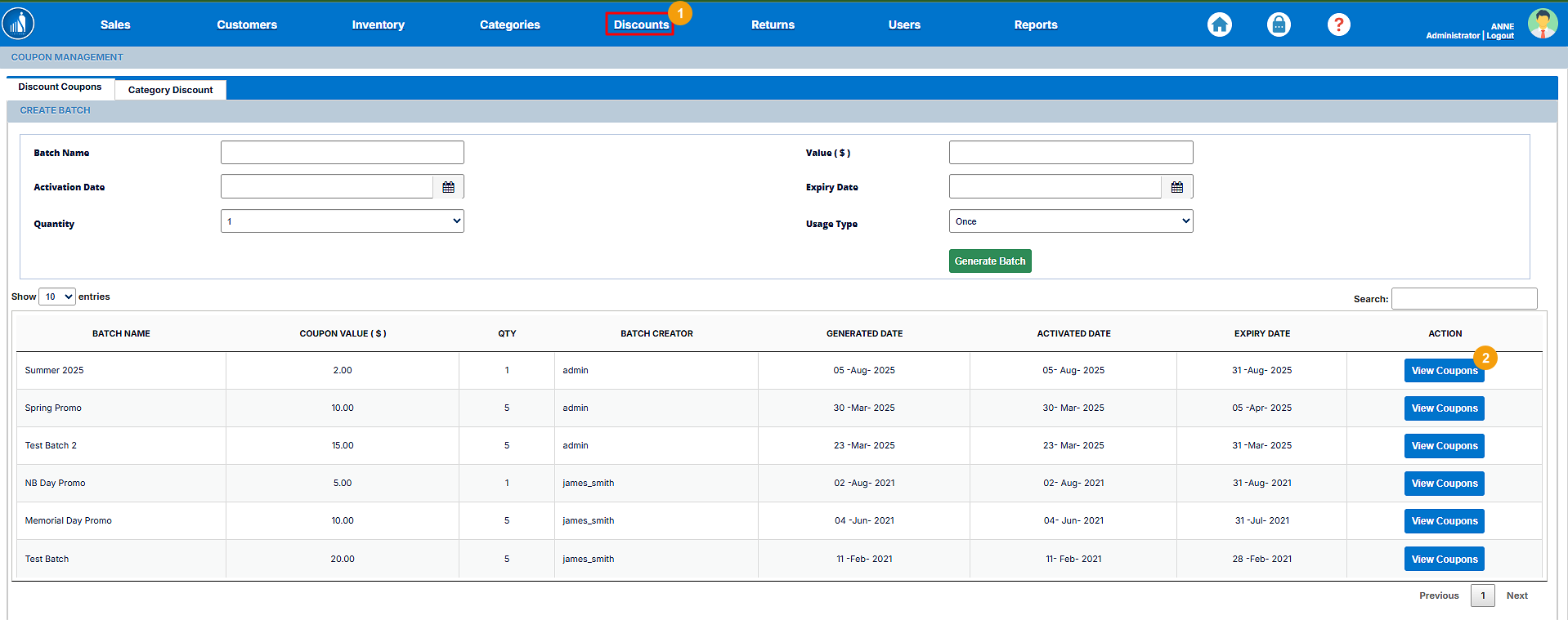
The coupon batch information will appear on the screen with its status. An invalid status means that the coupons of that batch are no longer redeemable.

How to Offer Category Discounts?
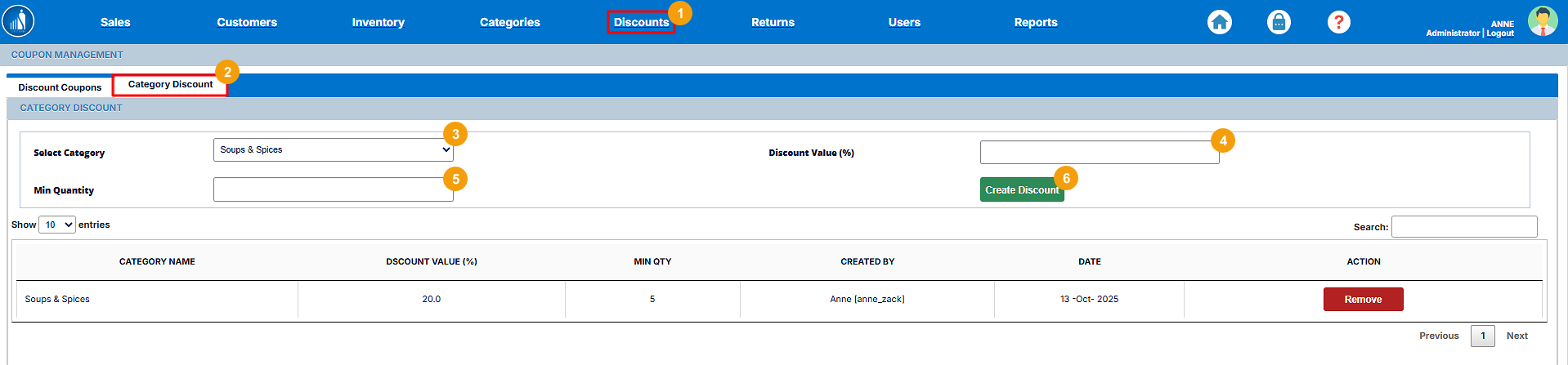
If you wish to offer discounts on particular categories, you can follow the following steps:
1. Go to the Discounts tab.
2. Switch to Category Discounts.
3. Select a category.
4. Enter the discount value.
Note: The discount value is in percentage. This means that the discount amount will be calculated as a percentage of the actual amount.
5. Enter the minimum quantity.
The discount is applied when the customer buys the number of items specified in the minimum quantity section.