Managing Users
ScanTranx allows you to create and manage users and their roles under the Users tab.
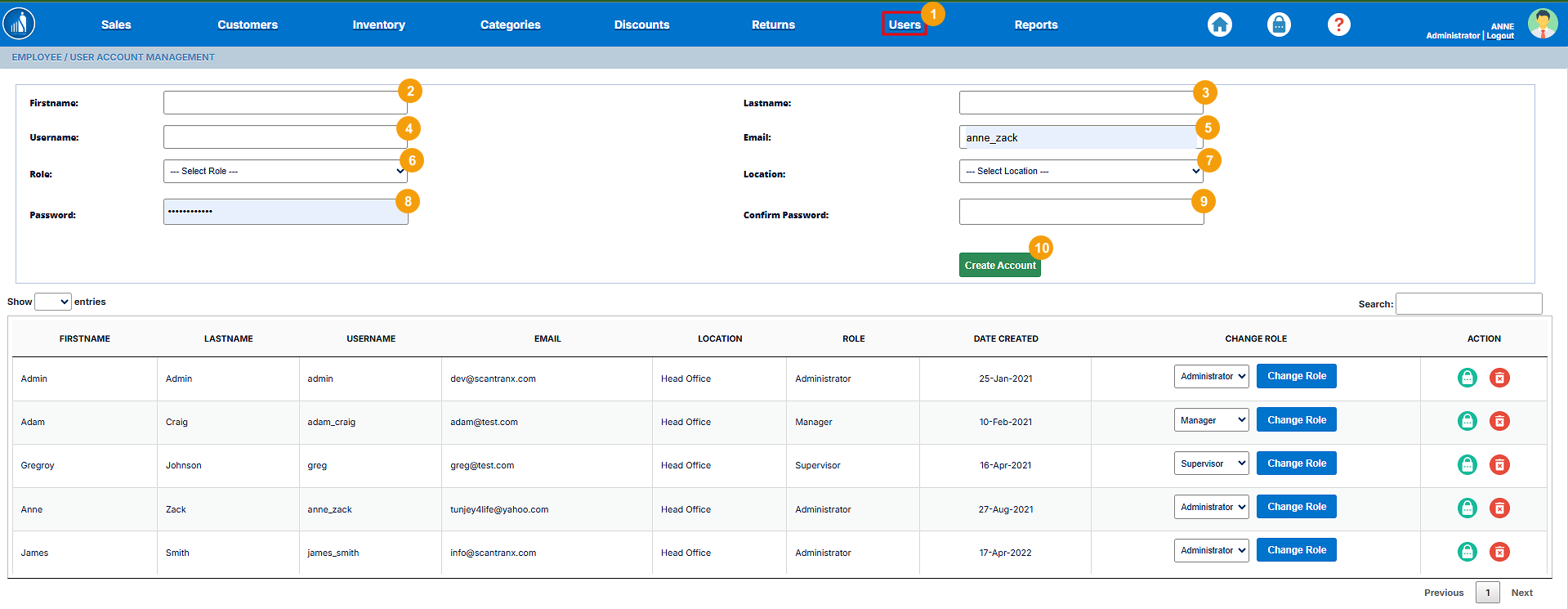
How to Create a New User?
1. Go to the Users tab.
2. Enter Firstname.
3. Enter Lastname.
4. Enter Username.
5. Enter the email.
6. Select a role.
7. Select a location.
8. Enter the password.
9. Re-enter the password to confirm.
10. Click Create Account.
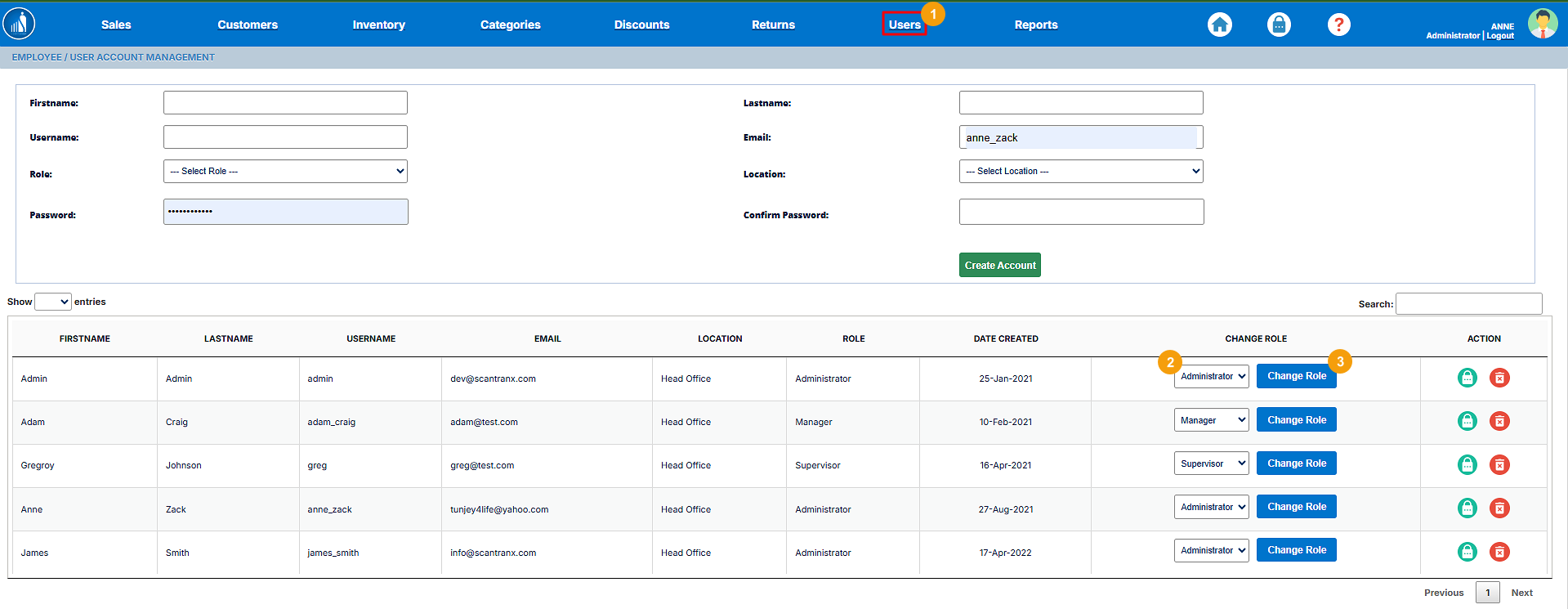
How to Change User Role?
1. Go to the Users tab.
2. Select the role for the user you want to change.
3. Click on Change Role.
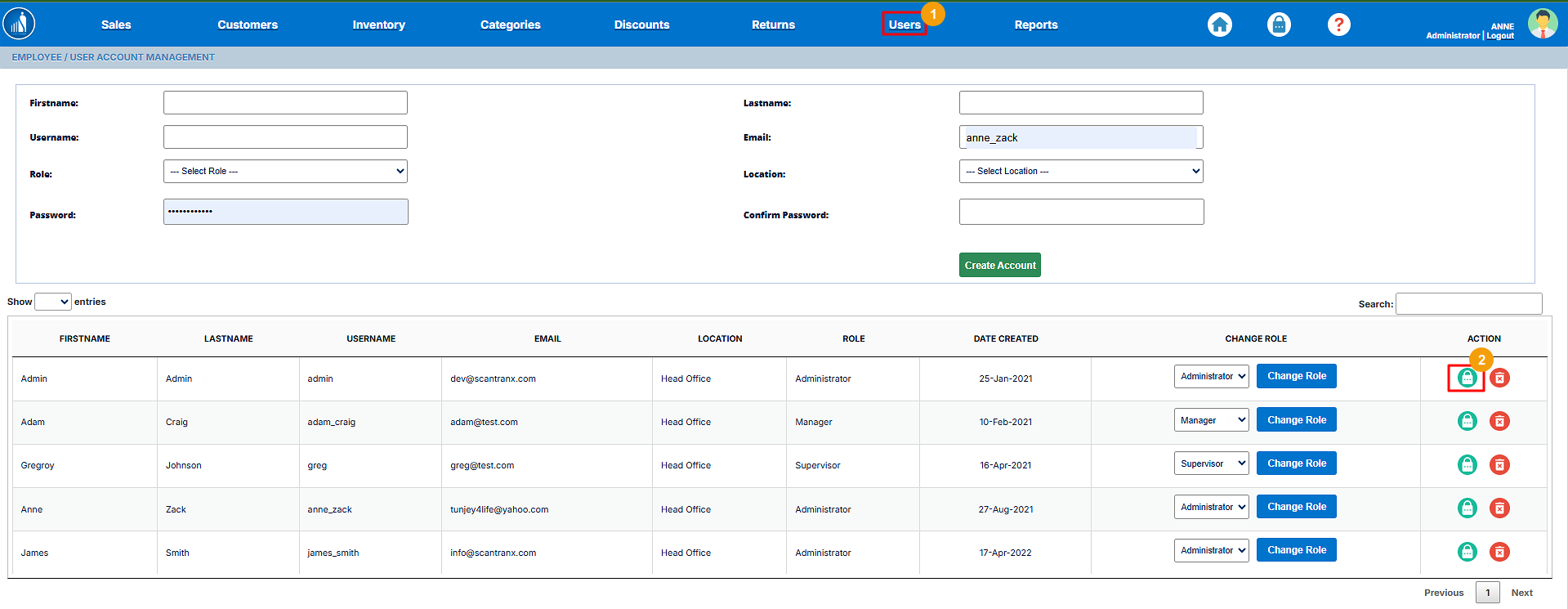
How to Reset a User Account Password?
1. Go to the Users tab.
2. Click on the Lock icon.
3. Enter the new password.
4. Re-enter the password to confirm.
5. Click Reset Password.

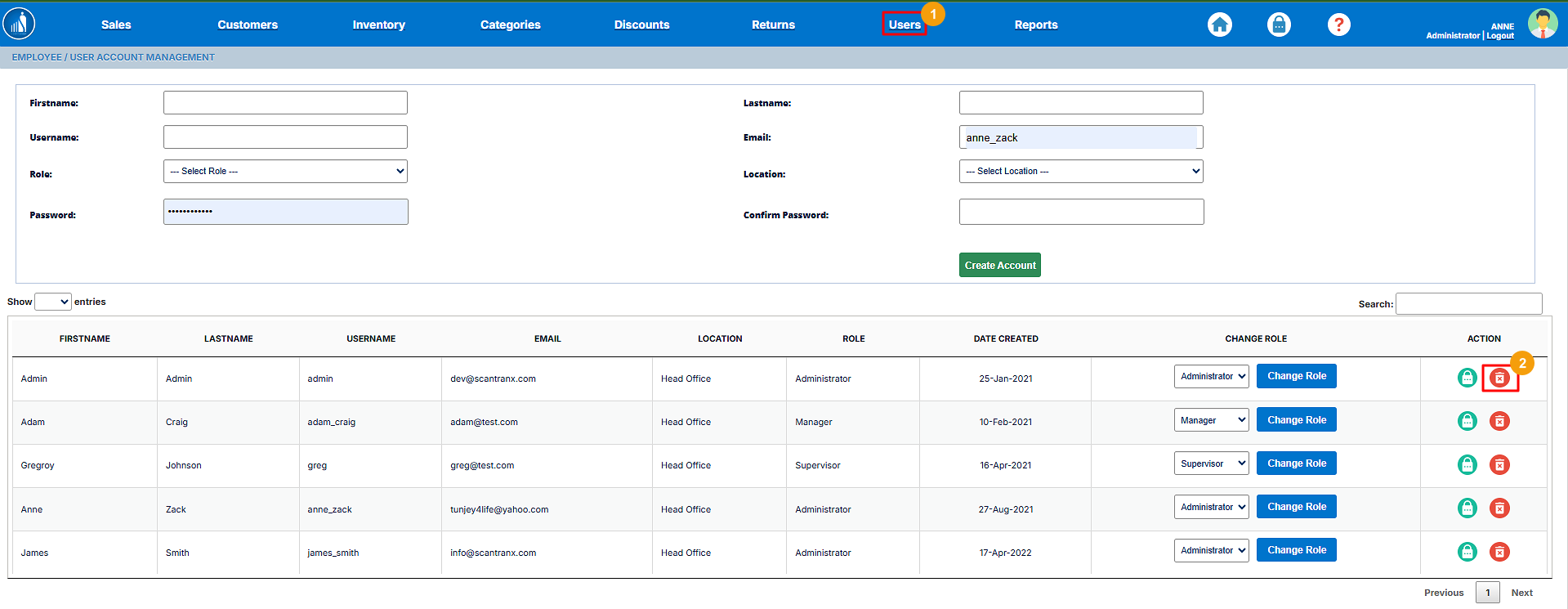
How to Delete a User Account?
1. Go to the Users tab.
2. Click on the Trash icon.