Subscription Payment
The Subscription tab provides you access to your subscription settings, billing information, and payment history.history. YouFrom this section, you can alsomanage makeyour plan details, track past payments, and renew or upgrade your subscription as needed.
From this tab, you can:
-
View your current subscription plan and renewal date.
-
Access your payment history for all past transactions.
-
Make new payments
fromorhere.renew your subscription. -
Upgrade or downgrade your plan based on your business needs.
Tip: Keeping your subscription active ensures uninterrupted access to all Scantranx features. Set reminders before your renewal date to avoid any disruption in service.
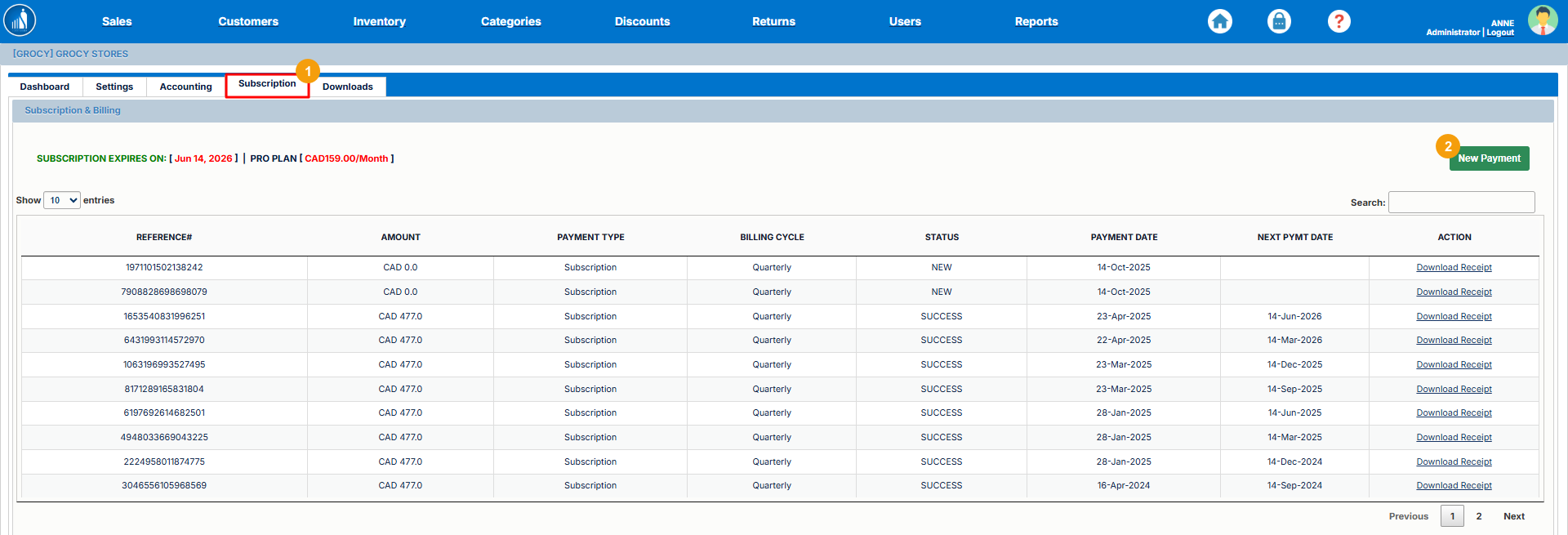
How to Make a NewSubscription Payment?Payment
1.You can easily make a new subscription payment or renew your existing plan directly from the Subscription tab. This ensures continuous access to all Scantranx features without interruption.
To make a subscription payment:
-
Go to the Subscription
tab.tab on the Dashboard. -
2.Review your current plan details and billing amount. -
Click on New Payment.
-
Select your preferred Payment Method (e.g., Credit Card, PayPal, GPay, or Apple Pay).
-
Enter the required payment details.
-
Click Submit Payment to complete the transaction.
Once the payment is processed successfully, your subscription will be renewed, and a confirmation receipt will appear in your Payment History.
Tip: Use a saved or recurring payment method to ensure automatic renewals and avoid service interruptions.
Complete
How to Download the Payment Receipt?
Receipt
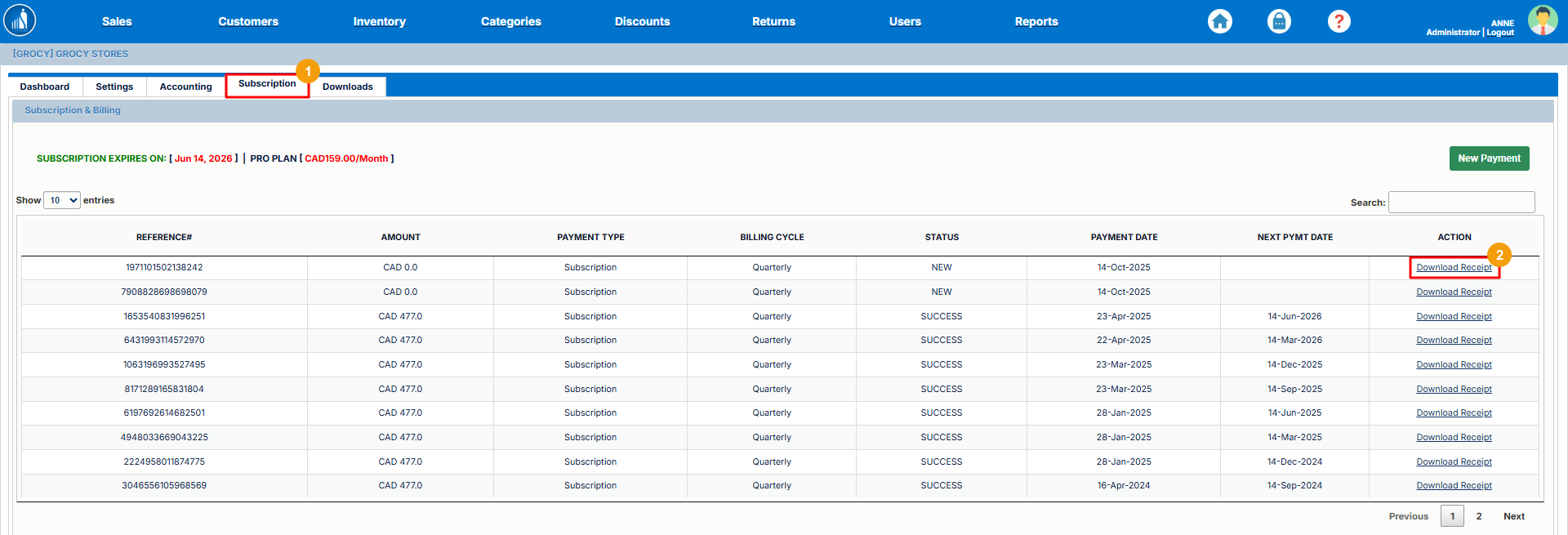
1.You can download receipts for your subscription payments directly from the Subscription tab. This allows you to maintain accurate financial records for accounting or reimbursement purposes.
To download a payment receipt:
-
Go to the Subscription
tab.tab on the Dashboard. -
2.
The receipt will be downloaded to your device in PDF format.
Tip: Keep digital copies of your receipts for future reference or auditing. Each receipt includes details such as the transaction ID, amount paid, and payment date.