Dashboard Overview
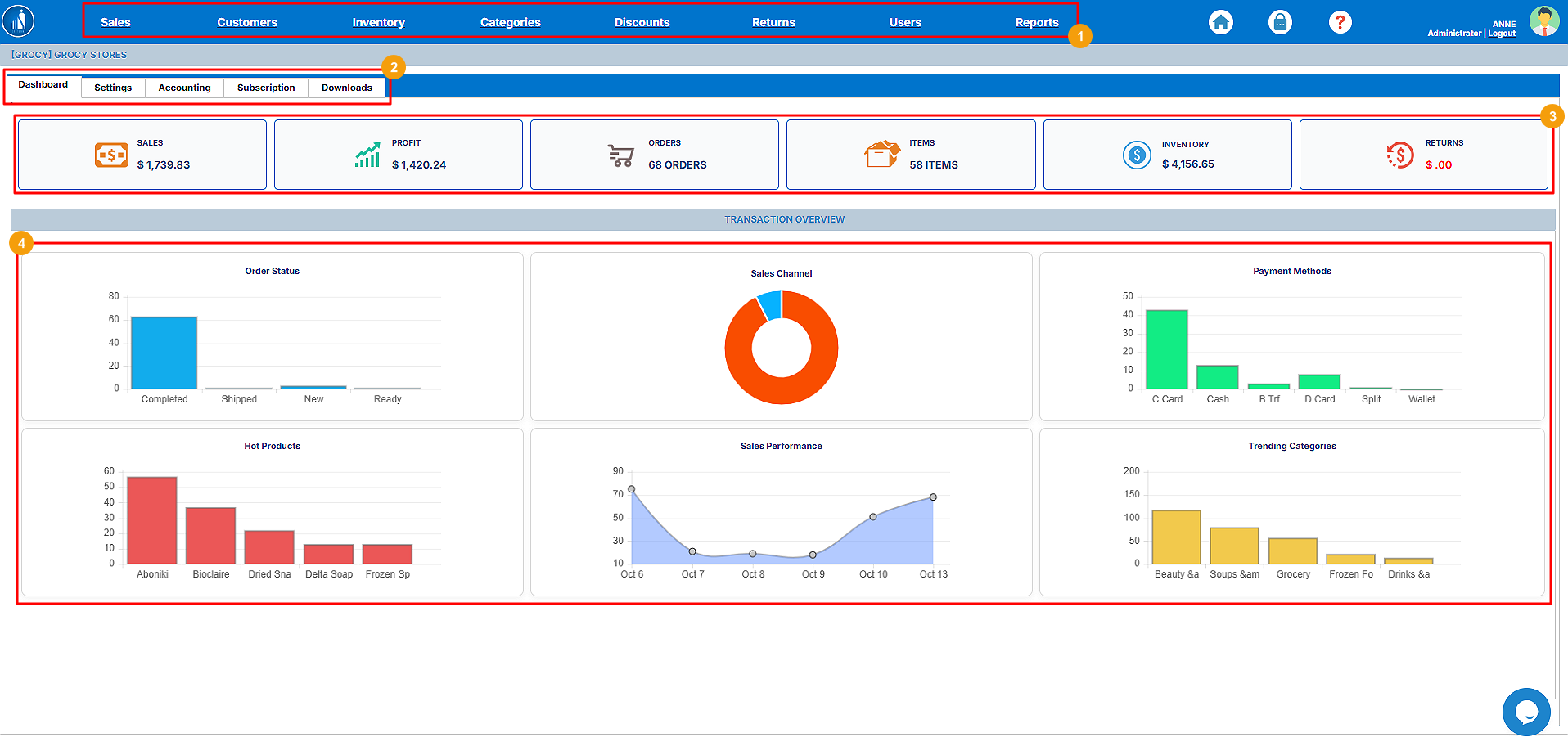
When you successfully log in to your account, you will land on the Dashboard. Before moving forward with other features, let’s explore the dashboard a bit:
o Sales: You can perform all the sales-related tasks under this tab.
o Customers: This tab provides you with the tools to manage customers.
o Inventory: Manage your inventory and products here.
o Categories: Add and manage product categories.
o Discounts: Offer discounts to your customers.
o Returns: View and manage returned sales.
o Users: Create and edit new and existing users.
o Reports: Generate, view and export different reports.
We will explore each tab in more detail later in the guide.
3. Cards: Show the stats in numbers.
4. Transaction Overview: Graphical representation of the sales, products and transaction data.