
Managing Returns
When a customer returns an item, it appears under the Returns tab. You can view the returns within a specific period as follows:
1. Go to the Returns tab.
2. Select the Starting Date.
3. Select the Ending Date.
4. Click Search.
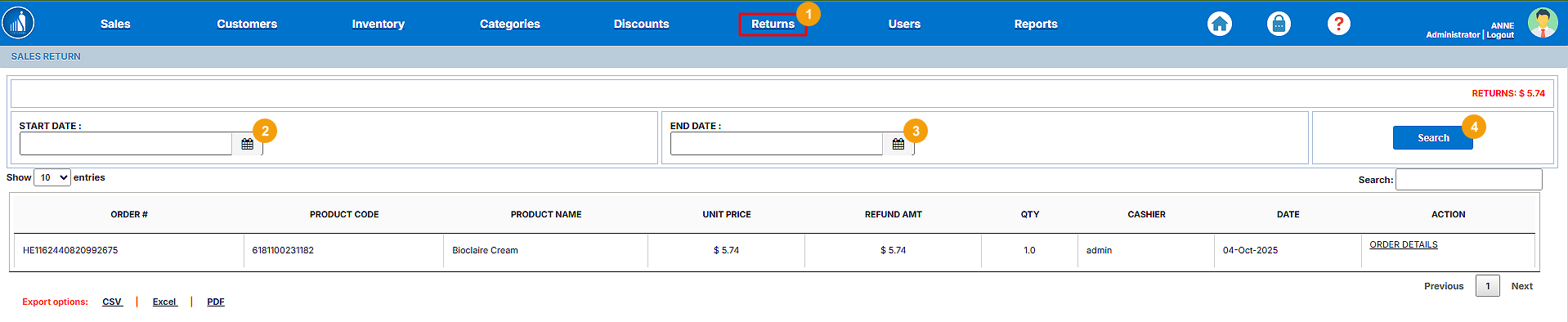
All the returned transactions within the selected time will appear on the screen. You can also view the order details for the returned items.